

Help
What do you need help with?
Sign in to track requests, reply to Allied or submit prerequisites. Register a new request for a new service need.
Commercial terms and privacy
Registering a request does not confirm a quotation or authorise chargeable work.
Review Allied's Terms of Sale for commercial terms, and the Privacy notice for how request information is used.
Start here
Choose a task
Choose the outcome you need; each row opens the right place.
Start something new
Continue existing work
Which reference should I use?
Use the reference already shown on your order, email or portal receipt.
- ASR
- Your portal registration reference. Use it for My requests, replies and prerequisites.
- Case
- An Allied service Case created after operational review and handoff.
- Work Order
- An Allied reference for an authorised service action or visit.
- Order reference
- A Sales Order, Order Acknowledgement or Delivery Order that helps identify supplied equipment.
Registering a request creates an ASR. It does not automatically create a Case or Work Order.
Sign-in and request history
Use the email you entered as requester, not a colleague’s address.
How do I sign in, and how long does it last?
Open My requests, enter your requester email and use the newest code within 10 minutes. Sign-in lasts up to 24 hours in this browser only.
Will I need another code for every action?
No, while signed in with the same requester email. Verify again after expiry or in another browser. Single-reference verification does not sign you into My requests.
What if my code expires or sign-in is unavailable?
Use the newest code in the same browser. If rate-limited, wait before retrying. Do not bypass browser security warnings; contact Allied with your ASR reference for help.
Which requests and history can I see?
My requests shows portal registrations submitted with your verified email, not all company Cases or Work Orders. If a request is missing, check the email or contact Allied with its ASR reference.
What changes when I reply to a correction request?
Use Correct this request or My requests to submit a reply under the same ASR. The original submission and replies remain in history. Email replies contact the team but do not update the portal.
What should I do on a shared device?
Sign out of the portal and email on shared devices. Discard saved registration drafts separately. Submitted requests remain stored. Never share verification codes.
Upload supporting documents and photos
Upload readiness evidence through Prerequisites. The Documents area is planned.
- Use PDF, PNG or JPEG (.jpg / .jpeg): up to 10 active files per request, 5 MB per file and 50 MB combined. Rejected or expired files do not count toward the active-file allowance.
- Convert HEIC photos to JPEG or PNG. Word files, ZIP archives, SVGs and videos are not accepted.
- Keep labels readable. Upload relevant service evidence only; no passwords, access codes, identity documents or payment details.
- Allied can preview files only after checks. Replace rejected files as instructed.
- Accepted files still need Allied readiness review.
Registration process
How registration works
The questions adapt to your request.
Show the registration steps
- 1Choose new or existing
For an existing request, enter its reference to find the current status.
- 2Describe the need and safety state
Describe the equipment, issue, required result, impact and containment.
- 3Add the requester
Provide the contact who should receive the request reference and updates.
- 4Pin the site and, if useful, state a preferred date
Enter the site name and pin the service entrance using search, a Google Maps link, Plus Code or the map. Allied must confirm any preferred date.
- 5Review, declare, and verify
Review your details and declarations. Verify the requester email unless already signed in with that email.
- 6Keep the reference and complete linked actions
Follow the receipt links for any further information needed.
Planning guide
How long should a request take?
These are customer planning ranges, not appointments or service-level commitments. They start when Allied has a usable request packet and pause while a required customer, commercial, parts, access, or readiness action is open.
First review by urgency
- Immediate or uncontrolled riskUse the site emergency and isolation process first
- Allied aims to acknowledge and assign ownership within 15 minutes during published service hours. Resolution time is assessed only after the condition is contained.
- Complete outageCritical operational impact
- Allied aims to assign ownership within 30 minutes during published service hours and identify the next practical action the same day.
- Reduced capacity or high impactOperation continues with material limitation
- Allied aims to assign ownership within 1 business hour and provide an initial disposition within 4 business hours.
- Standard or plannedNo immediate operational threat
- Allied aims to assign ownership within 2 business hours and provide an initial disposition within 1 business day.
Typical range by request type
- Equipment issue, controls, or warranty concern
- Remote clarification or recovery is often 1–2 business days. Site-attendance or repair planning is often 2–5 business days after readiness and commercial release; parts can extend the journey.
- Startup & commissioning
- Readiness review is typically 1 business day. Attendance planning is commonly 2–5 business days after the complete readiness packet. Closure may take 2–10 business days where order lines, witnesses, reports, ERP updates, or multiple visits are involved.
- Assessment, audit, or paid service
- Scope and quotation commonly take 2–5 business days. Delivery is commonly 5–15 business days after Order Acknowledgement, readiness, access, and any required payment.
- Part identification or quotation
- Ex-stock identification and quotation are often 1–3 business days. Sourced, imported, or made-to-order items follow the confirmed supplier lead time.
- Training, handover, or close-out
- Scope confirmation is often 1–2 business days. Delivery is commonly 3–10 business days after the audience, equipment, materials, mode, and schedule are confirmed.
- Document, report, or certificate
- An existing approved record is often available in 1–3 business days. A custom record or customer template commonly takes 3–10 business days after the required information is complete.
- Not sure — assess and recommend
- Initial triage is normally within 1 business day. A recommended route or assessment action commonly follows within 2–5 business days, depending on the available evidence.
Registration usually takes about five minutes when the reference, contact, site and observed facts are ready. Reports and closure commonly take 1–5 business days after the service action; custom records, approvals or multiple visits can take longer.
Before you start
What to have ready
- An Allied Sales Order, Delivery Order, invoice, Case, or Service Work Order reference where available
- Equipment description, model, serial number, and customer equipment tag where known
- The observed issue, when it began, how it was identified, and the effect on operation
- The project/site name and location pin for requests connected to a site
- A requester email that can receive the verification code and registration receipt
- Readiness, access, photos, and documents can be completed through linked actions where the journey allows
Photo guide
Photograph the details we need
Open the examples relevant to your task.
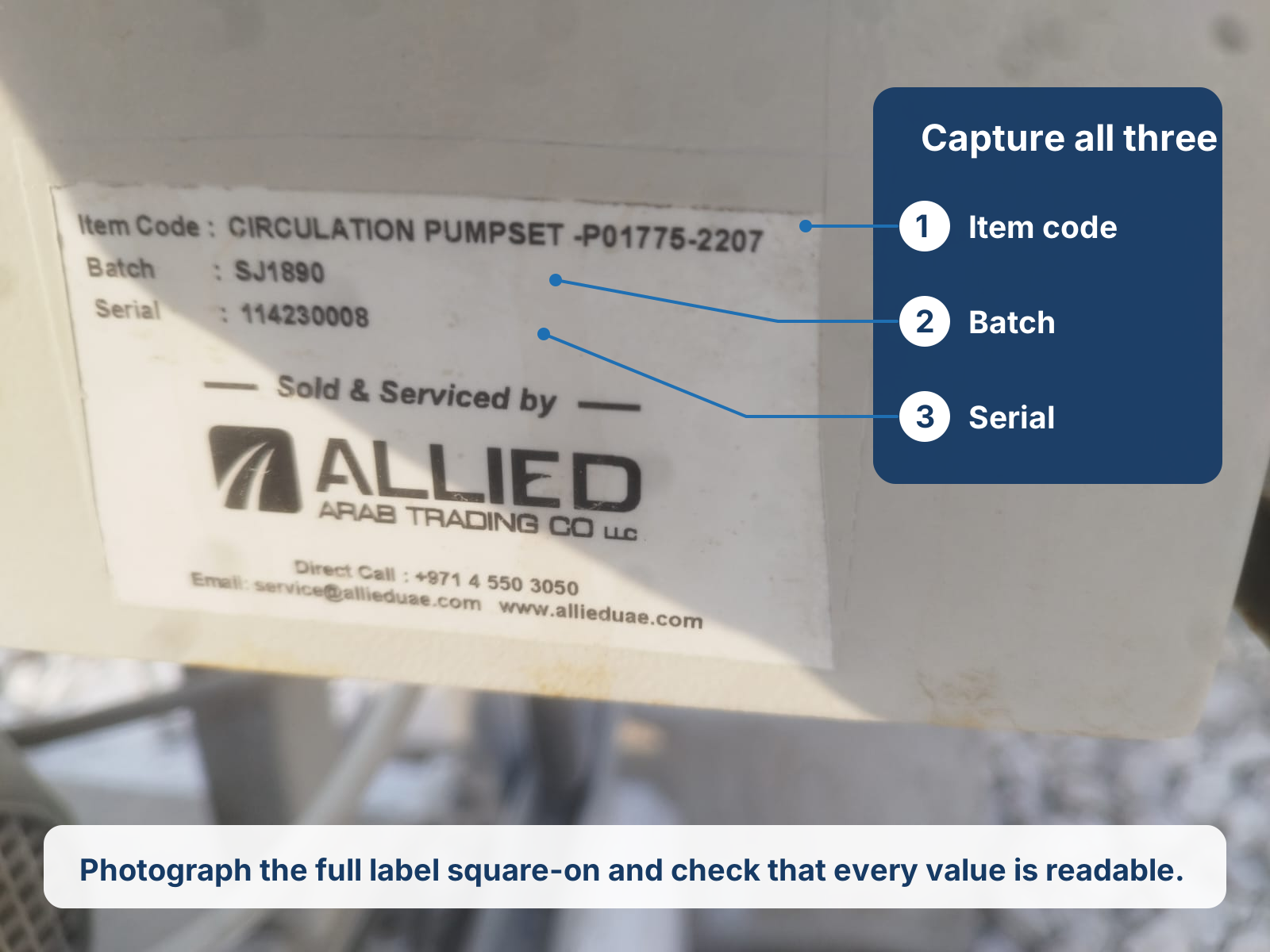
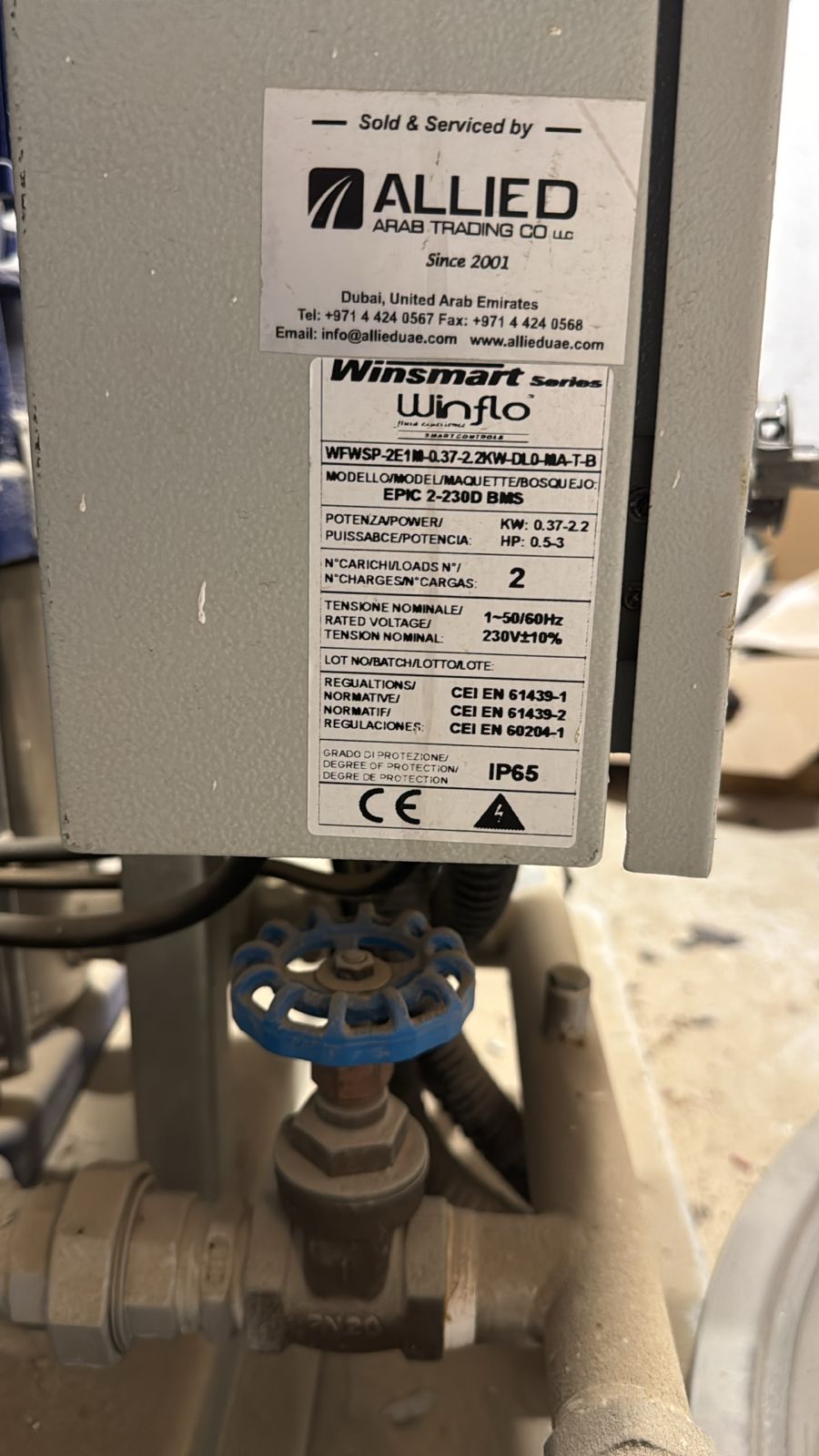
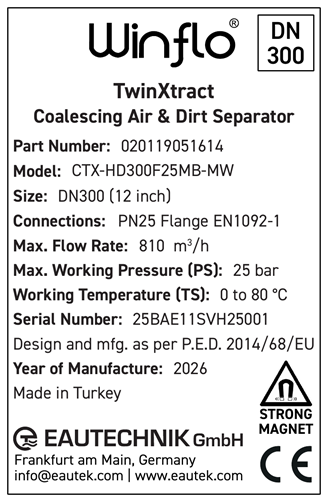
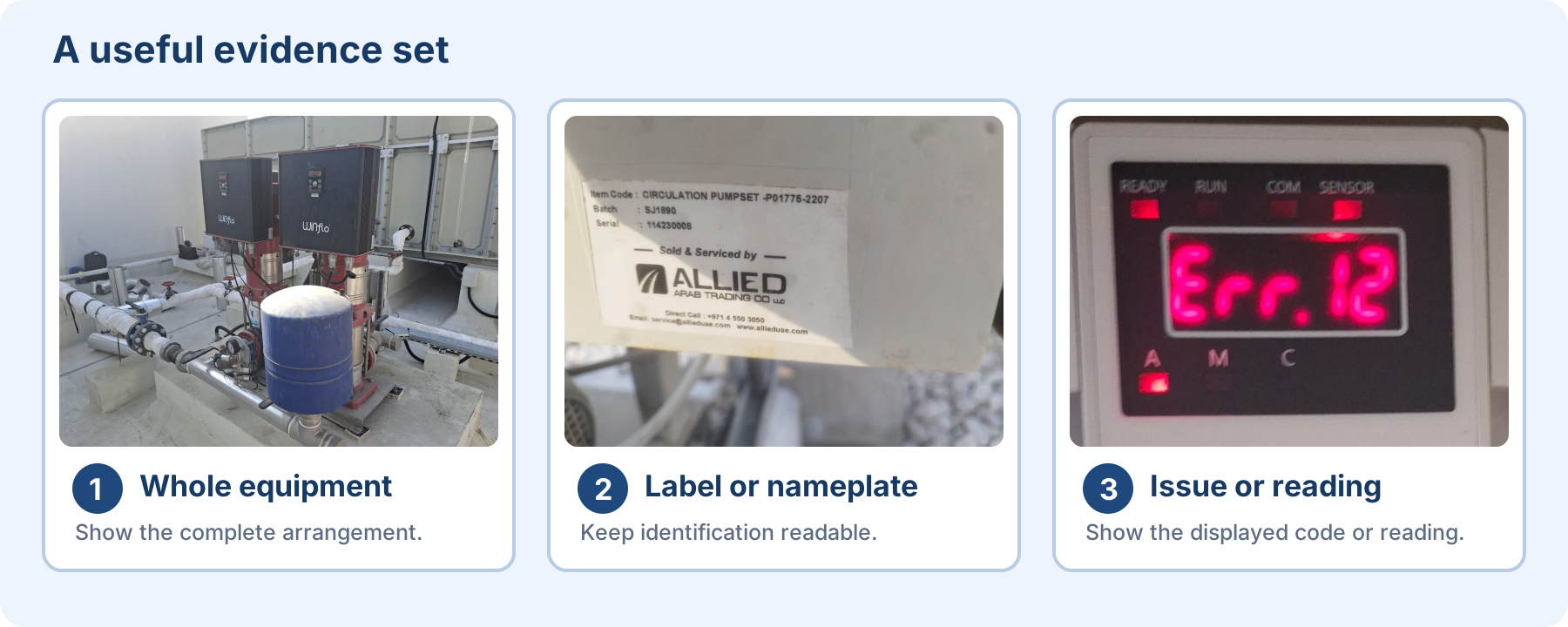
Product nameplate referencesView examples
Photograph the complete equipment label. Fields vary by product; use the actual label and product manual. These are examples only; photograph your own equipment and site condition.
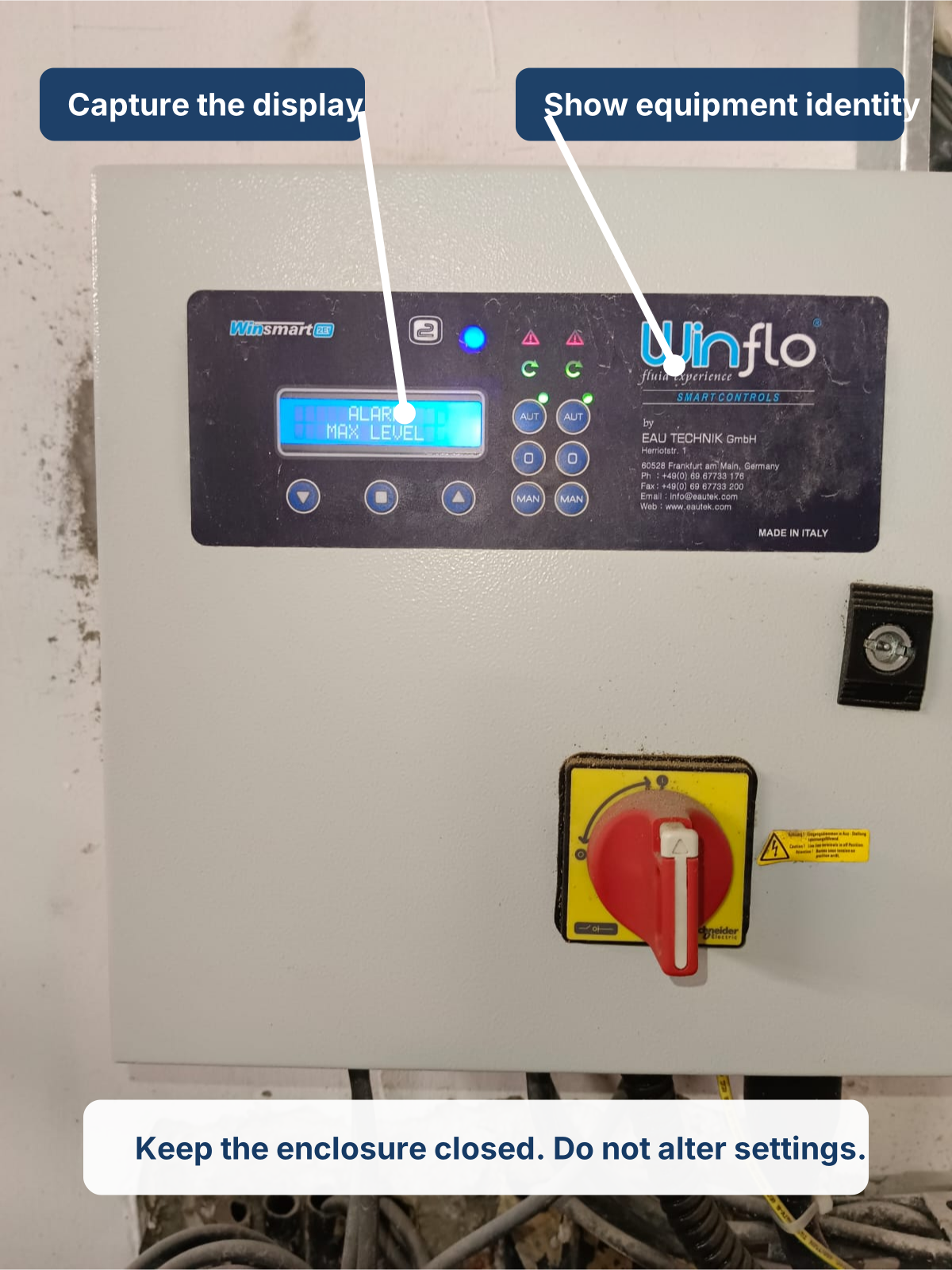
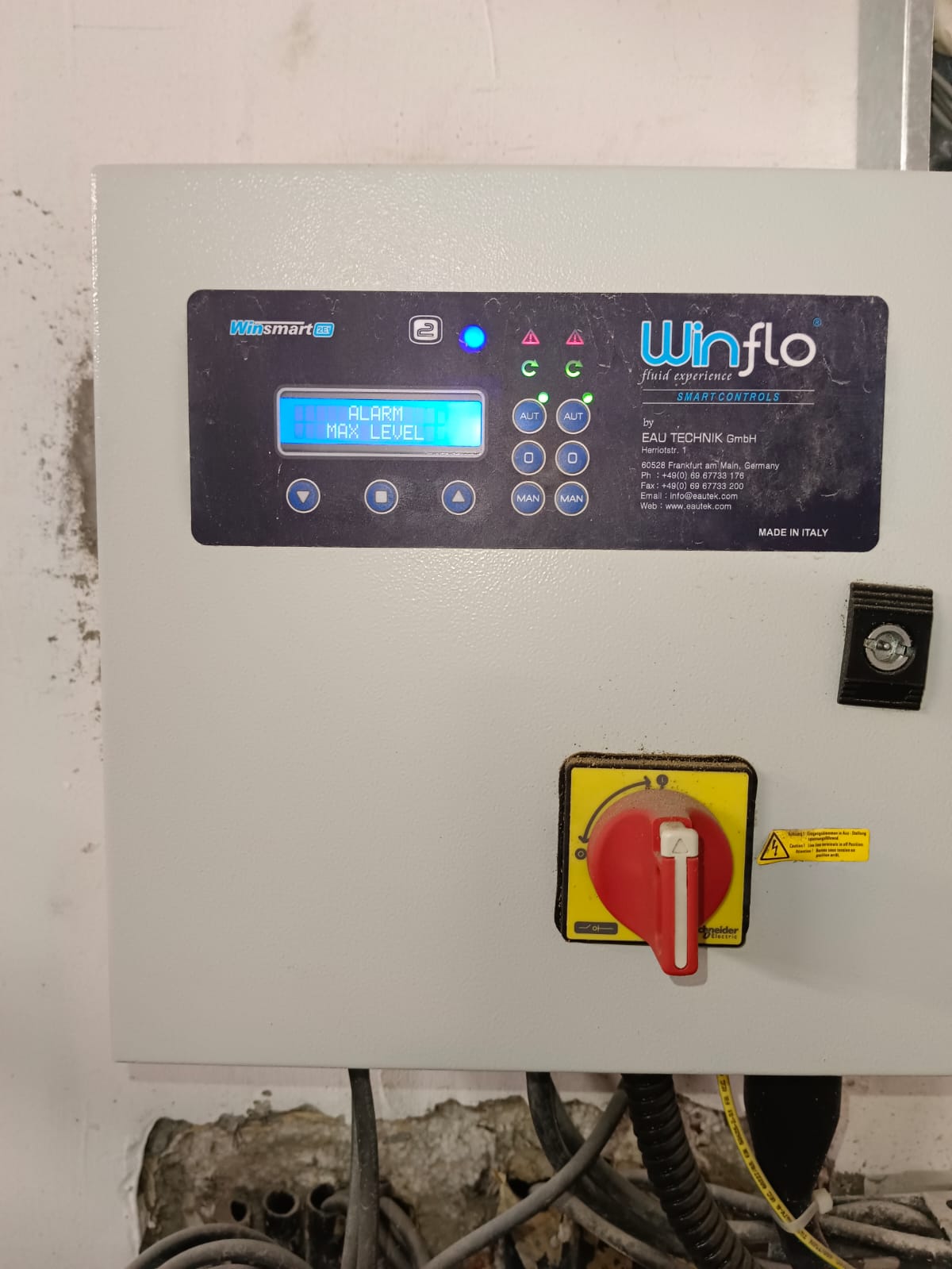
Issue, alarm and reading evidenceView examples
Show what you observed without operating or changing the equipment for the photograph. These are examples only; photograph your own equipment and site condition.
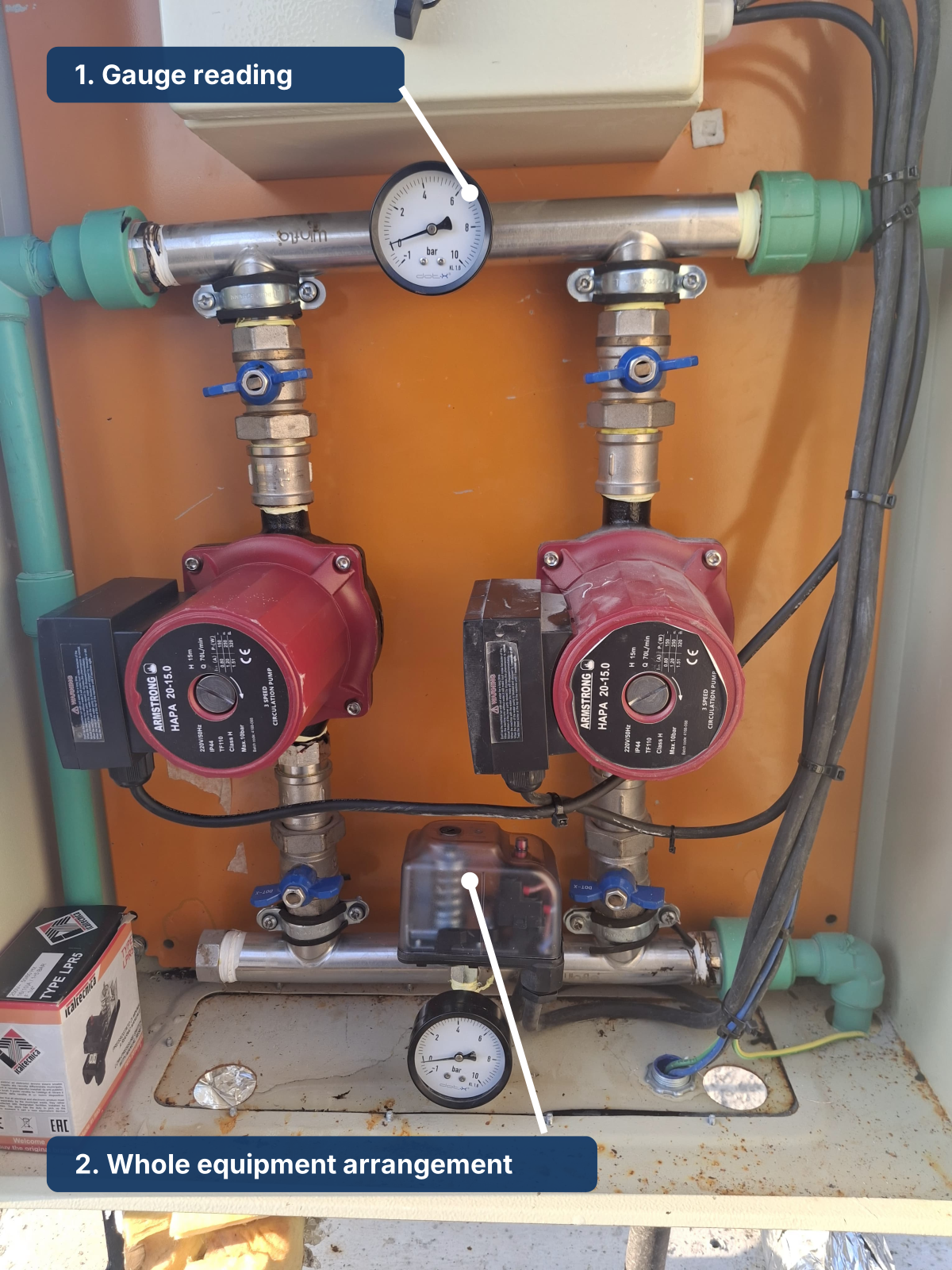
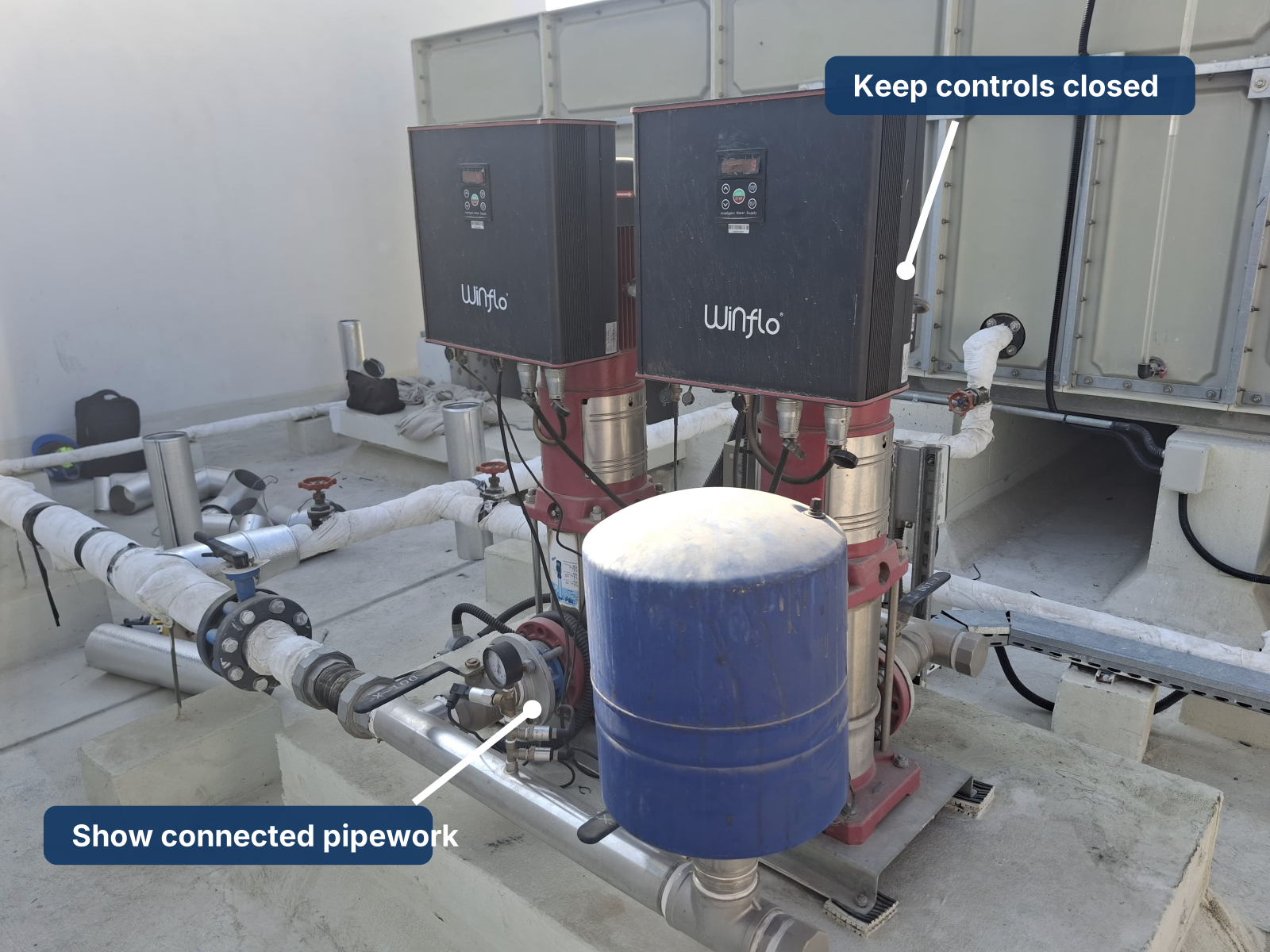
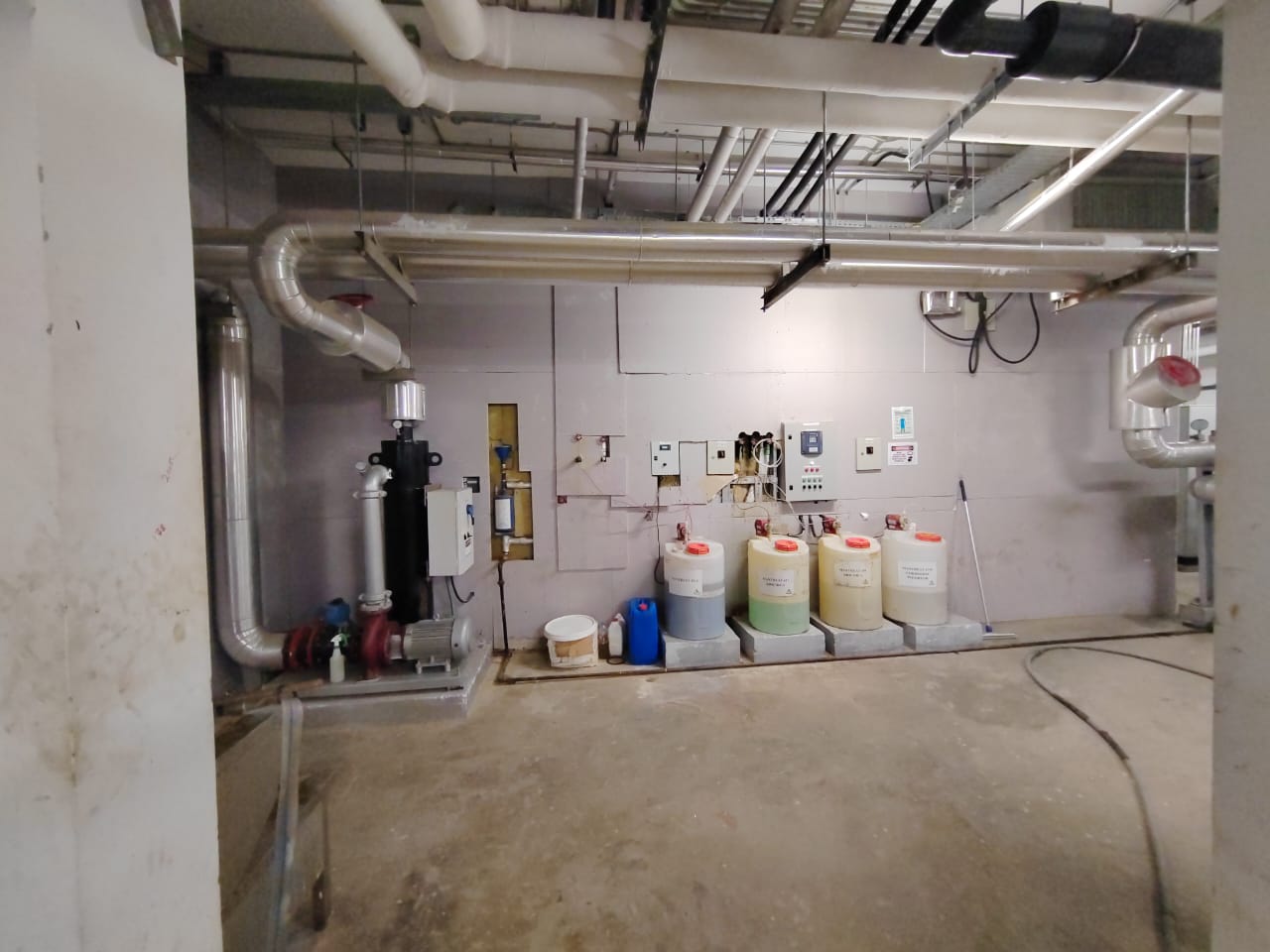
Installed equipment overviewView examples
Take a wide view before close-ups so the equipment arrangement is clear. These are examples only; photograph your own equipment and site condition.
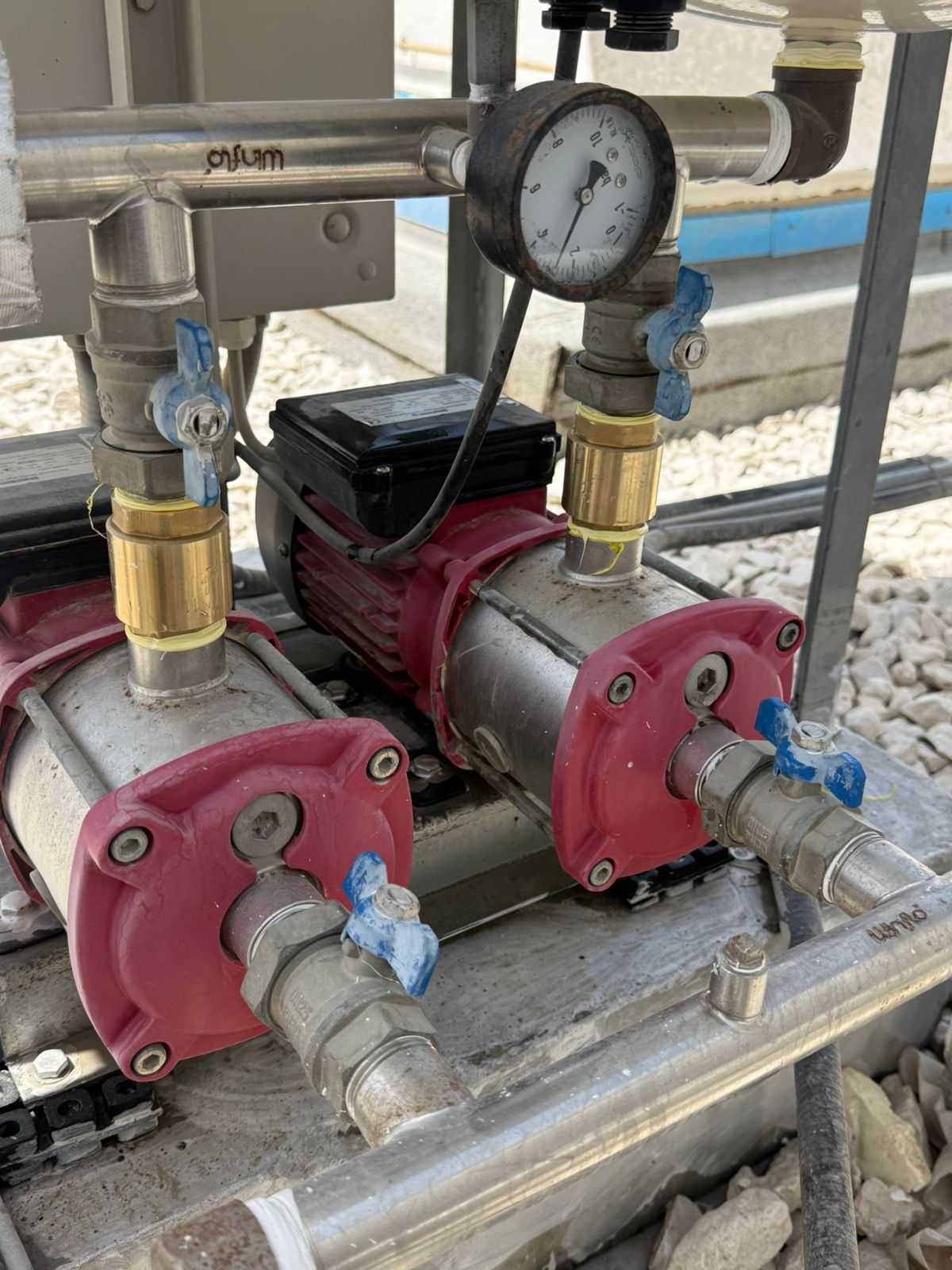
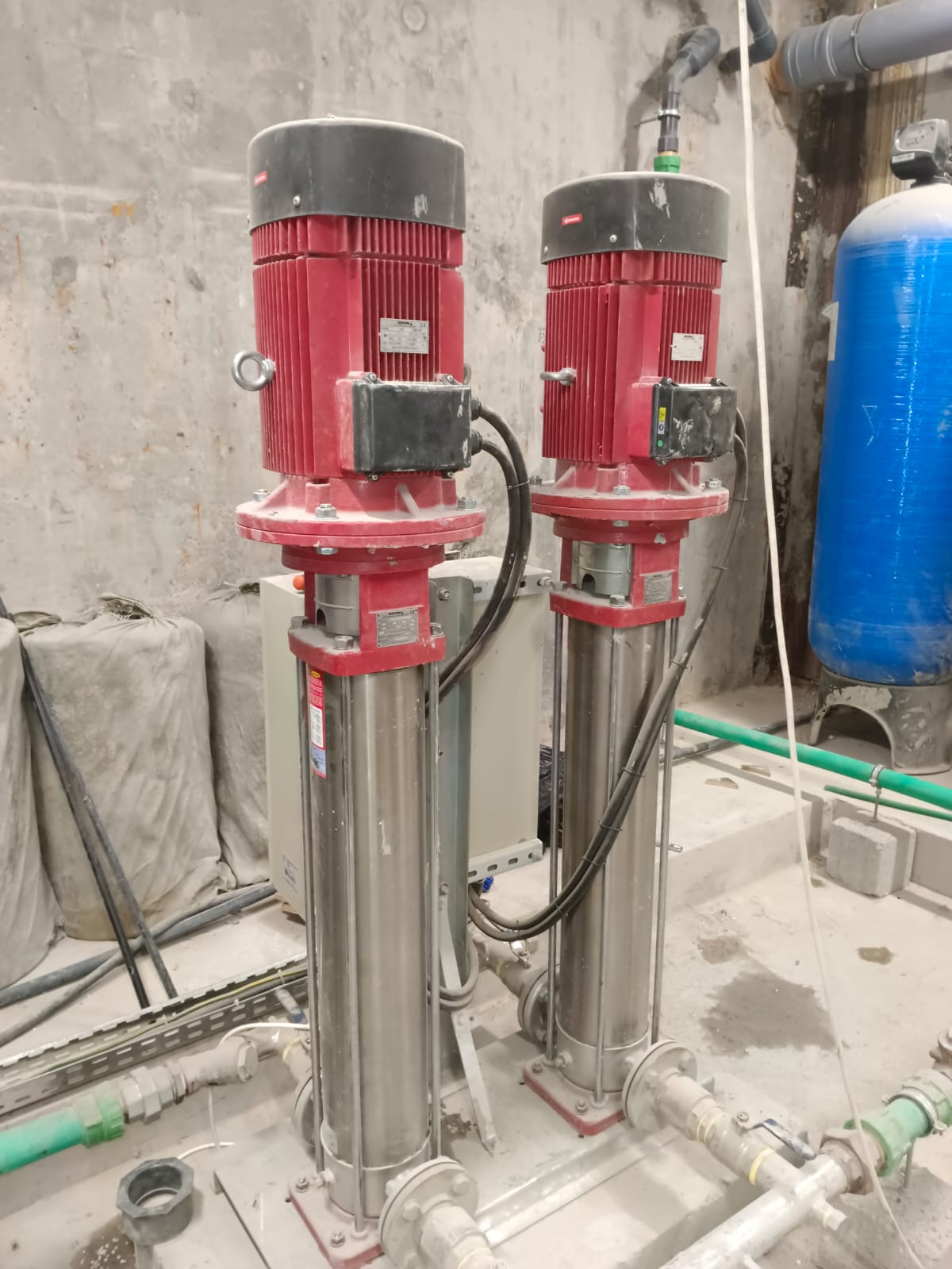
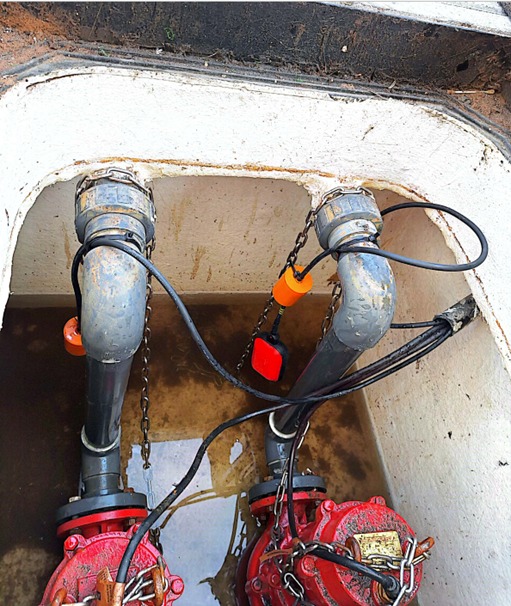
Site readiness and accessView examples
Show the whole installed area, safe access route and any visible obstruction or incomplete condition. These are examples only; photograph your own equipment and site condition.
Portal areas
What each area is for
Coming-soon pages describe planned functions.
See all portal areas
My requests
AvailableView requests submitted with your email, their history and available actions.
Register
AvailableRegister a new request, follow up or escalate.
Track
AvailableTrack an ASR, Case or Work Order reference.
Prerequisites
AvailableSubmit the readiness checklist and supporting files using your ASR reference.
Services
Coming soonExplore approved services and prerequisites.
My equipment
Coming soonFind Allied-supplied equipment and connect it to service history.
Visits
Coming soonView confirmed attendance and the actions needed before the visit.
Parts
Coming soonRequest spare parts using an Allied reference or known equipment identity.
Documents
Coming soonRequest and receive approved service documents, reports, and records.
Training
Coming soonPlan training, audience availability, handover, and acknowledgement records.
AMC
Coming soonView planned maintenance activities, prerequisites, and issued reports.
Warranty
Coming soonReview recorded coverage and register a warranty-related concern.
Knowledge
Coming soonFind equipment guidance and safe first checks.
Frequently asked questions
Common questions
Open a question to see the answer.
What if I do not know which service I need?
Choose Not sure — assess and recommend. Describe the equipment, symptoms, impact and desired result; no diagnosis is needed.
What if I do not have an Allied reference?
Choose Start without a reference. In the form, select I do not have a reference and describe the project, equipment and delivery so Allied can find the records.
Where can I upload supporting pictures and files for the request?
After registering, open Prerequisites with your ASR reference and requester email. Under Supporting documents, select Choose documents or photos, then submit the prerequisites form. Accepted formats: PDF, JPEG and PNG.
What should I do if there is an immediate or uncontrolled risk?
Follow the site emergency and isolation process first. Report the risk and containment for priority review; emergency attendance is not confirmed.
Can someone else complete prerequisites after registration?
Colleagues can gather information, but only the verified requester can submit it. Do not share codes; contact Allied to change the requester. Delegated or company-wide access is not available.
Why is local drainage needed for pumpset performance checks?
Local drainage allows Allied to check pumpset performance independently of the building system, without opening taps or sanitary outlets elsewhere in the building.
Does approval mean my prerequisites are complete?
No. Registration approval starts service preparation. Submit the linked checklist and evidence for separate readiness review.
Where can I see the prerequisites I already submitted?
Open Prerequisites and choose View last submitted prerequisites. This read-only record is not Allied approval. Recheck current conditions before submitting a new update; earlier submissions remain in history.
Do document-only requests need site readiness?
No. Provide the details needed to locate or prepare the document; site readiness is not required.
Still need help?
Contact the service team
Mon–Fri, 08:00–17:00 (GMT +4)